Return to markdown?
Return to markdown?
Micro.bloggers: I’m interested in turning the link log into a micro.blog plug-in, but I don’t have the skill or the will to make it happen. Where should I begin?
Question for micro.bloggers: Can you separate keywords by comma in this category filter field, or is it one word per filter? 
Posting a lot while I get through the inbox today. Among other stories, WordPress is offering free hosting to students, marketing WP as a way to change how people relate to their own writing. Does a self-hosted public blog make students think differently about audience than a school LMS post does?
I spent a little time with the blog last night and pulled together two new site features using Claude Cowork. The last time I experimented significantly with Claude like this was to use Claude chat to build the link log from scratch, walking it through my thinking in plain language, then copying and pasting its suggestions into the backend of the site and hitting publish. This time I used Cowork, the tool that runs in the browser, and it clicked through the screens itself, fully taking on the execution of tasks. I have some coding skills, but not the kind these changes required. If I were taking this on, I would need YouTube, Hugo for Dummies, and my own personal IT guy, and still probably couldn’t pull it together.
Last night I asked a few things of Claude: I asked Claude Cowork to get into the backend of the micro.blog site and change my theme to link each line in the linklog back to my original post. The date field in the right column now links back to the original post for each link logged. No problem, easy request with easy execution. I made the request, confirmed the plan, and went about my business while Claude made the edits.
I also asked it to analyze my post content and suggest category tags for groups of content, then to label that content correctly in the backend. Claude reviewed about 500 posts and suggested I add a few new categories to my blog: AI in Practice, Books & Reading and Writing & Language. Then I set up some auto-filters to run at publish time to automatically categorize posts based on keywords moving forward.
Finally, I manually added the archive page, which lets you sort posts by category or year. This means I now have a functional archive here. Enjoy my anodyne thoughts, dear reader.
Adjacent to my day job, I’ve been toying with Claude Pro now for about a year; in my experience, it has improved significantly within the last six months. It’s not perfect: my requested edits were completed, but it also changed the CSS on the linklog so some of the text is too light to read, which I didn’t ask for and don’t want. But it has arguably extended my ability to execute on work that requires skills I don’t otherwise have (such as design and coding). What I do bring to the table is an expansive practical background in publishing and production, and all the language to describe it.
Added a Wayback link preserver plugin to the site. This lightweight code detects broken external links on the blog and shows clickable Wayback Machine fallbacks so readers can still access the content. Handy when we’re working on the indie web where the web is fragile.
Testing a new feature I created using a mix of open source code and Claude, hoping I didn’t break my own site. I pulled together a dynamic link library using a Hugo partial and some shortcode that automatically catalogs all of my outbound links into sortable lists.
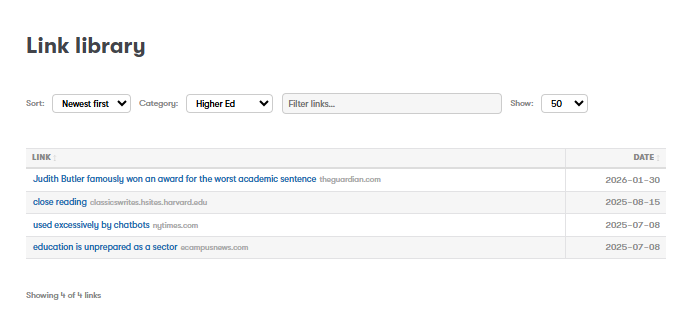
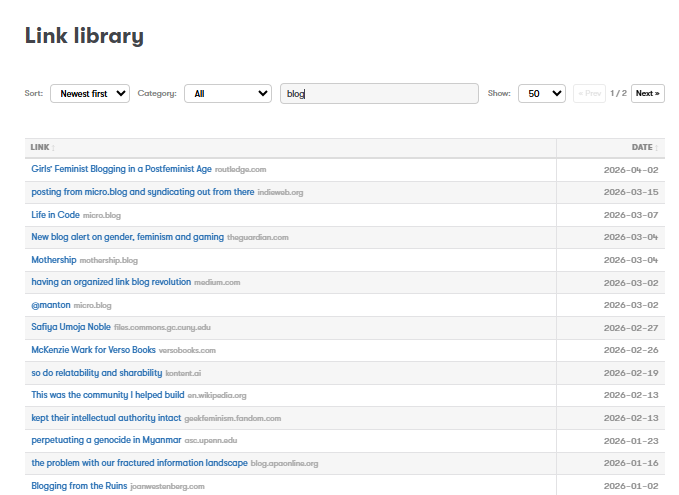
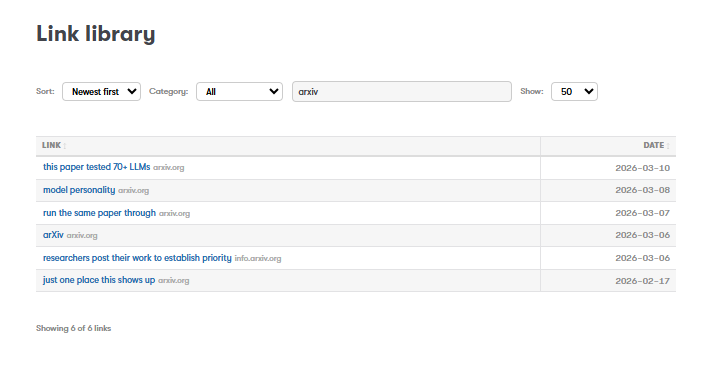
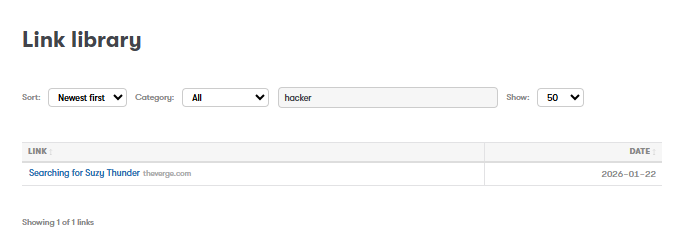
Playing with a link archive that produces a sortable list of each of my outbound links. An okay start.
Turned on a couple of micro.blog site features: if you’re reading this feed on a social site (Mastodon, Bsky, Threads), I’m posting from micro.blog and syndicating out from there. Replies from federated social sites (Bsky, Mastodon) are now syndicated on my site as comments under my blog posts.
My digital presence has been deliberately fractured for years, so I’m watching how this site stitches together my breadcrumbs through SEO, with the serious stuff and throwaway asides alongside the occasional hilarity. Currently one of my top Google results.
Telling the gods: I would love a micro.blog plugin that provides an easy way to bulk-manage post categories. If there is one, lmk.
Some content notes: while I haven’t quite figured out how much I want to broadcast this space, I have put a couple of feedback mechanisms into place, including an email loop as well as turning on comments for those logged into micro.blog, Bluesky and Mastodon. If you’re reading along, say hello.
I just completed my first attempt at coding using AI, in this case having Claude assist me with putting together a simple client-side OPML parser using Dave Winer’s Feedland service.
Winer’s original script is pretty slick, and includes a list of all my feeds with titles, URLs, and categories; click-to-expand functionality to see the 5 most recent posts from each feed; clickable post titles that open articles in new tabs; sort options (by title or by update); and automatic updates when I change my FeedLand subscriptions.
You can check it out here: Feeds
The official documentation method didn’t initially work because Hugo (the blogging software behind micro.blog) was wrapping client-side templates around the script. The toolkit requires server-side dependencies that don’t exist on static sites like micro.blog, and we hit a cascade of missing JavaScript dependencies (jsonStringify, servercall, etc.). Each fix revealed another dependency, leading to some “sunk cost” frustrations for me. I kept trying because I wanted to see if Claude could pull it together. Through trial and error, I got to a point where the OPML file was rendered correctly without server dependencies or complex external libraries.
Time invested: ~3 hours (including wrong turns)
Time it should take: 10 minutes
AI extended my code reach beyond my practical skillset by quite a lot. I now have a dynamic and dedicated place to read and share news feeds as I wish. Though even when generative AI works and works well, I have significant concerns about the intellectual property implications of AI, and this project brought those tensions into sharp focus. The AI could only help me because it was trained on documentation and intellectual work from the open source community, contributions made freely in the spirit of knowledge sharing, not to train commercial AI systems. I tapped into their expertise by paying Anthropic $15 a month. While I’m grateful for the accessibility this provides to non-developers like me, I recognize there’s an unresolved ethical question about whether this use respects the intent and labor of the original creators. The feat is incredible; the foundation it’s built on deserves careful consideration.
After the exercise was complete, I asked Claude how I could have improved my prompting to make this process easier, and in short, Claude said I could have been a web developer. But since I’m not, here’s what it recommended:
✅ When the process isn’t working, question the process mid-stream. Most people either give up or keep following bad advice deeper into rabbit holes. Stop and question the LLM’s process and ask for alternatives to force a reset.
✅ Push for usability. Keep bringing the conversation back to what you actually need the end result to do, not what’s technically impressive or “correct.” In my case, this meant repeatedly asking “can I click through to the articles?” rather than getting lost in discussions about CORS proxies or JavaScript syntax. Focus on outcomes, not implementation details.
✅ Ask for complete solutions. Instead of trying to mentally patch together incremental changes across multiple responses, ask the LLM to provide fresh, complete code each time. This prevents copy-paste errors and ensures you’re always working with a coherent, tested solution. There’s more than one way to crack an egg, but you want the whole egg regardless.
After all that, I got it to work but can’t figure out how to make it show up in my header menu, with or without Claude. TBD.
Just speaking this into the universe, but it would be exceedingly cool if someone pulled together a micro.blog plugin for Feedland blogrolls and page feeds.
In recent history I stopped posting on most social media and moved to the fediverse. I still browse the social platforms to keep up with trends and friends, but I only post on my private IG and here.
What I share here is separate from but related to my professional life — I’m thinking out loud and making room for rough, unfinished ideas. I write mainly for myself, but if others find it useful, that’s great. The practice of reading and reflecting makes your thinking stick, and I am from a certain time and place, so this is how I approach learning and communicating about what I’m learning. It’s a habit.
While this is my preferred approach, I acknowledge that sharing unfinished ideas publicly is risky and you have to accept accountability for the messiness that comes with that. But I also know that working through your vulnerability through the act of writing lets you tap into your most creative, innovative self and test your ideas against an evolving sense of what’s good. The potential for an audience, however real or implied, keeps you more honest and less self-indulgent. Despite the trade offs, I think it’s worthwhile.
As I add to this page, I’ll be thinking out loud about digital rhetoric and communication alongside emerging technology, and linking back to foundational ideas I see reflected online today. Occasionally I’ll say something longer.
Yet another playlist added to my playlists page.
I generally use this space to track what I’m reading in books. But going forward, I’ll also be using it to consolidate links to articles I’m reading about communication, higher education and technology trends.
Updated my reading list, while slowly making my way through half a dozen books at once.
Been playing with micro.blog for a bit now and very much recommend the experience. The interface is friendly and the team behind the app is ultra responsive. My fav features are Bookshelves - and the ability to push new posts to Bluesky and Mastodon.
In other news, I got a new bike.

The Bookshelves feature of Micro.blog is easily my favorite of this platform. It sits right at the intersection of medium and function: as a reader I want to keep track of things, but I don’t need so much infrastructure around it. Just some checkmarks and a place to dash off my immediate thoughts.
I’ve been keeping my virtual bookshelf up to date while pushing myself to take on a bunch of literary fiction, but I’m tired, reader. So instead of laboring on with a pile of good books I didn’t really want to read, I lined up a bunch of rock n’ roll memoirs for the summer while I manifest camping, hammocks and time otherwise spent by a lake.
My posts from micro.blog are pushing to Mastodon but not Bluesky. Why?
I don’t need a WYSIWYG editor on micro.blog, but some buttons for linking and styling on new posts would be a no-brainer addition to this app.
I am enjoying the Twitter/Tumblr feel of micro.blog and feel like I could settle in here. But it would be cooler if there was a quick reference for markdown near the input field to better format our posts.
I’m a dummy, but I can’t log into mastodon.social since connecting with micro.blog. What am I doing wrong? Or do I need to log in elsewhere?
I’m a new poster posting.
